The game screen explained
What every button and panel does, from the top bar to the hunting dial.
In short
- The screen is the place you are standing in. Everything else opens on top of it.
- The top bar holds your Trainer Hub, Pokédex, Team, Bag, Atlas, Quest Journal, Players and Messages.
- Hunting is a dial at the bottom of the place: pick a method, start, and wait for the encounter.
- Tap any Pokemon, move, ability or item name anywhere and it explains itself.
The place you are in
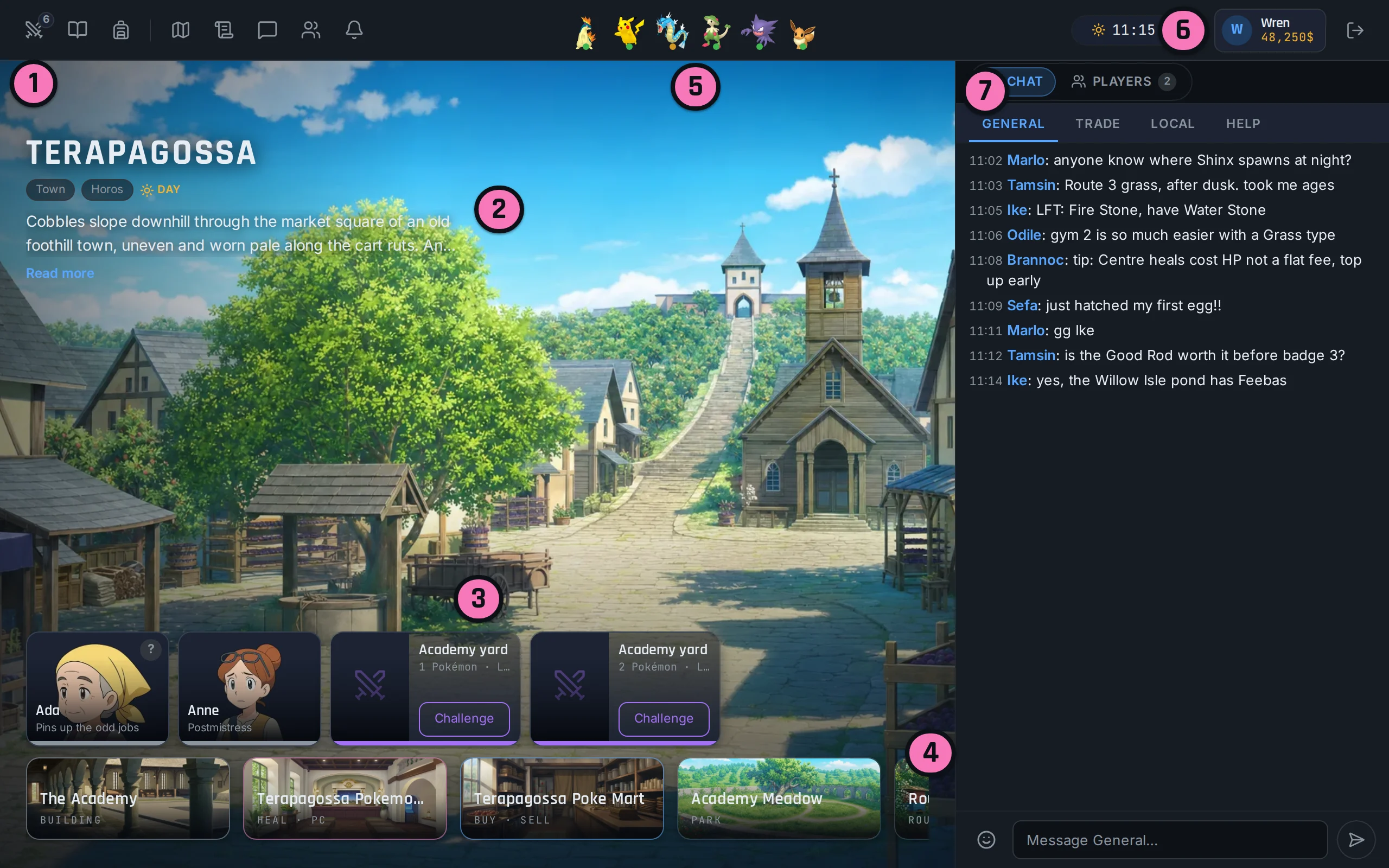
The game shows one location at a time: a painting of the place, its name, and what you can do there. Towns have services under the name. "Heal · PC" means a Pokemon Centre, "Buy · Sell" a Poké Mart, "Gym challenge" a gym, and "Training" a paid training ground with the level band it serves. Tap the service to go inside. Inside a building, "Leave" takes you back to the street.

Below that is who is here. People are the locals: a healer, a clerk, somebody who "has work for you", or just a local with something to say. Tap one to talk. Trainers are opponents who will battle you once; a beaten one says "Beaten". Other players standing in the same place appear too, and from their name you can view their profile, offer a trade or challenge them.

"Onward" lists the places you can walk to from here. Some are marked "Needs a rod" or "Cannot move there" until you have unlocked the way.
Hunting
Wild Pokemon live in routes, forests, caves and water, never in a settled town. At the bottom of such a place is the hunting dial. Choose a method first: Walk, Surf or Fish. Surf and Fish are locked until you have earned them, and the locked button tells you where.
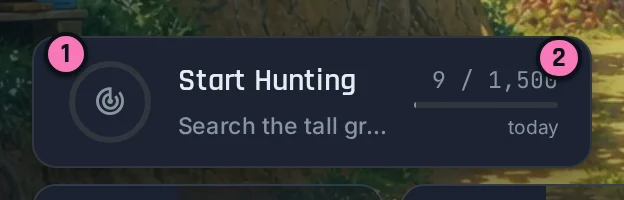
Press "Start Hunting" 1. The server searches for you, and after a short wait something turns up or nothing does. When it says "Encounter!", the battle begins. After each battle there is a cooldown before the next search. The counter 2 is how many encounters you have had today, against the daily cap.
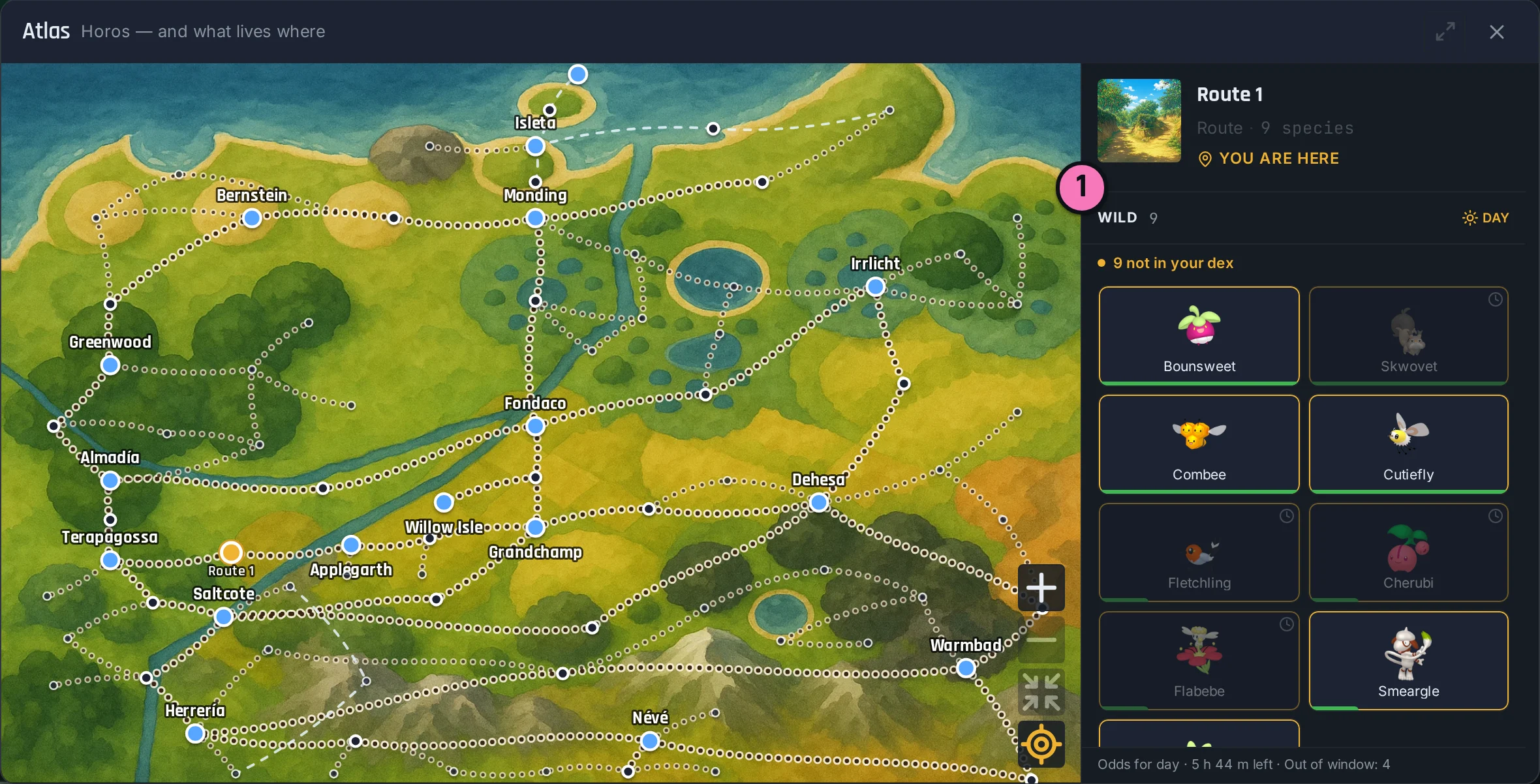
Each place has odds for the time of day, morning, day or night. Open the Atlas while you stand on a route and it lists what you can meet there now 1, and what is out of its window. If your whole team faints, the dial stops until you heal.
The top bar
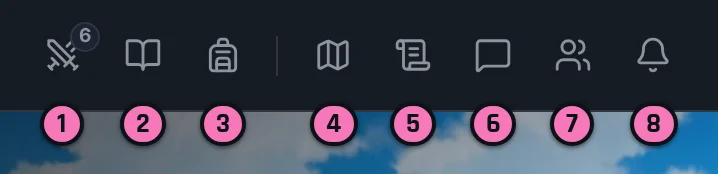
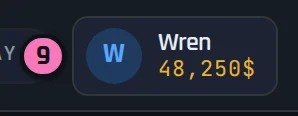
Trainer Hub 9 is you: your badges, battle record, ranks, content unlocks, and the Settings tab where you change your avatar, battle speed and password.
Pokédex is every species, with what you have seen and caught. Atlas is the map of Horos with "You are here", and tapping any place shows which species live in it.
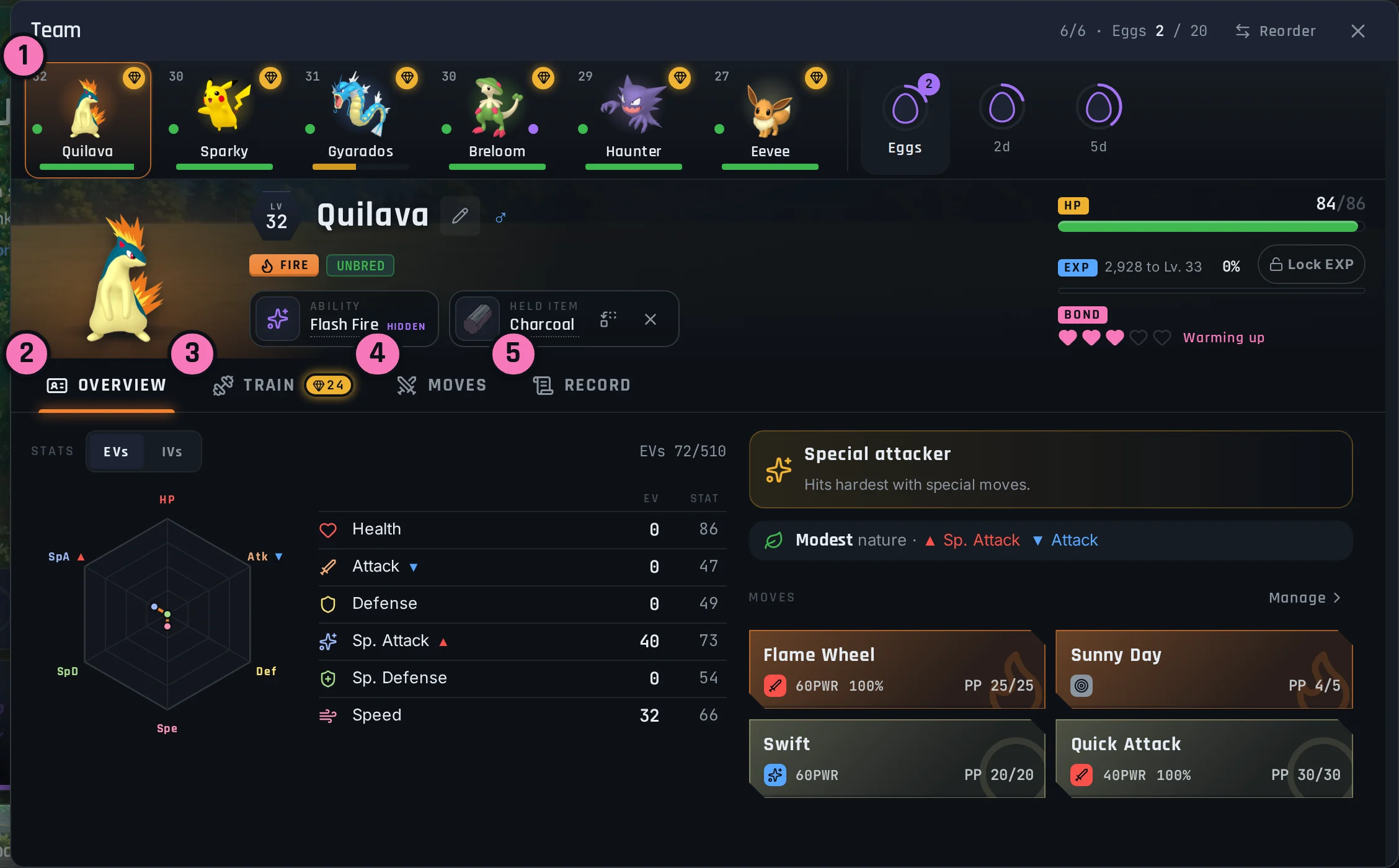
Team is the six Pokemon you carry. Each has an Overview, a Train tab for spending training points, a Moves tab and a Record. Tap a Pokemon to pick it up and tap another slot to reorder. Eggs sit here too.
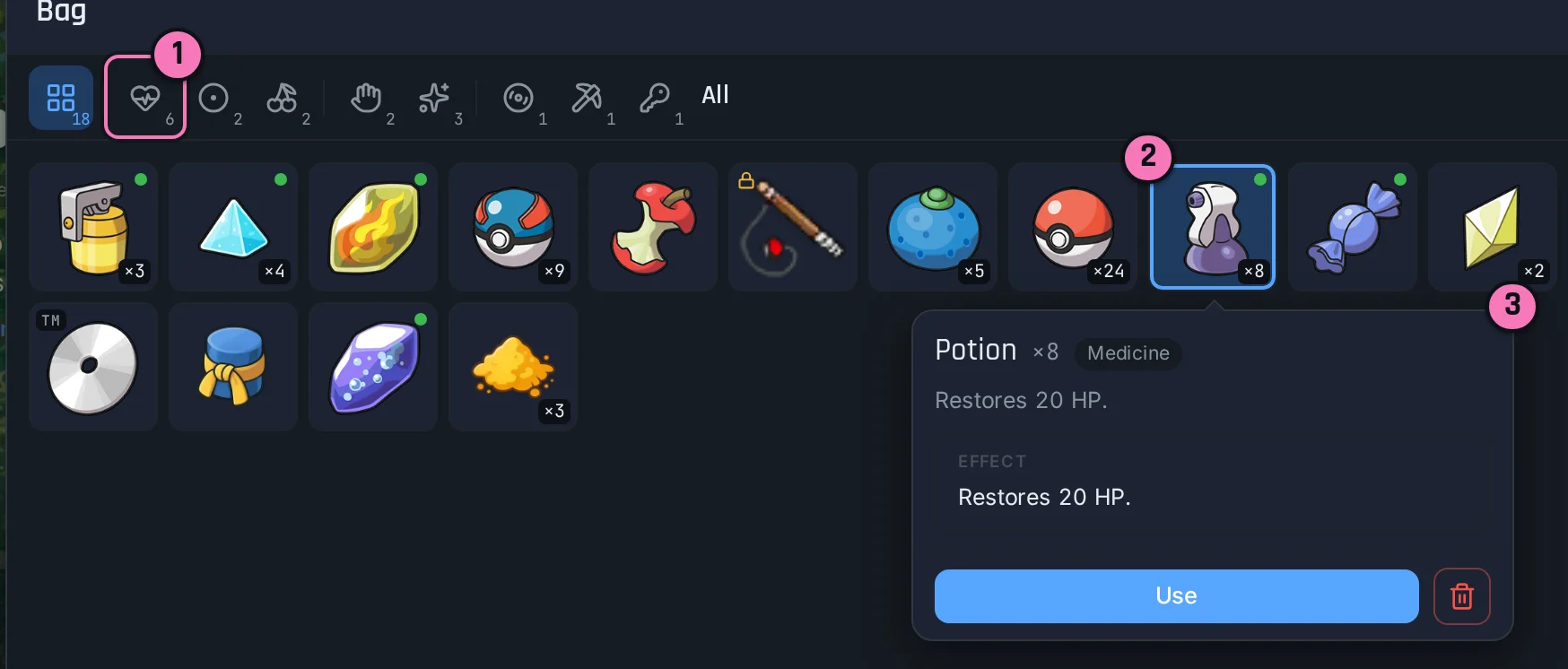
Bag is your items in pockets. From an item you can Use it, Give it to a Pokemon to hold, or Discard it. Key items cannot be thrown away.
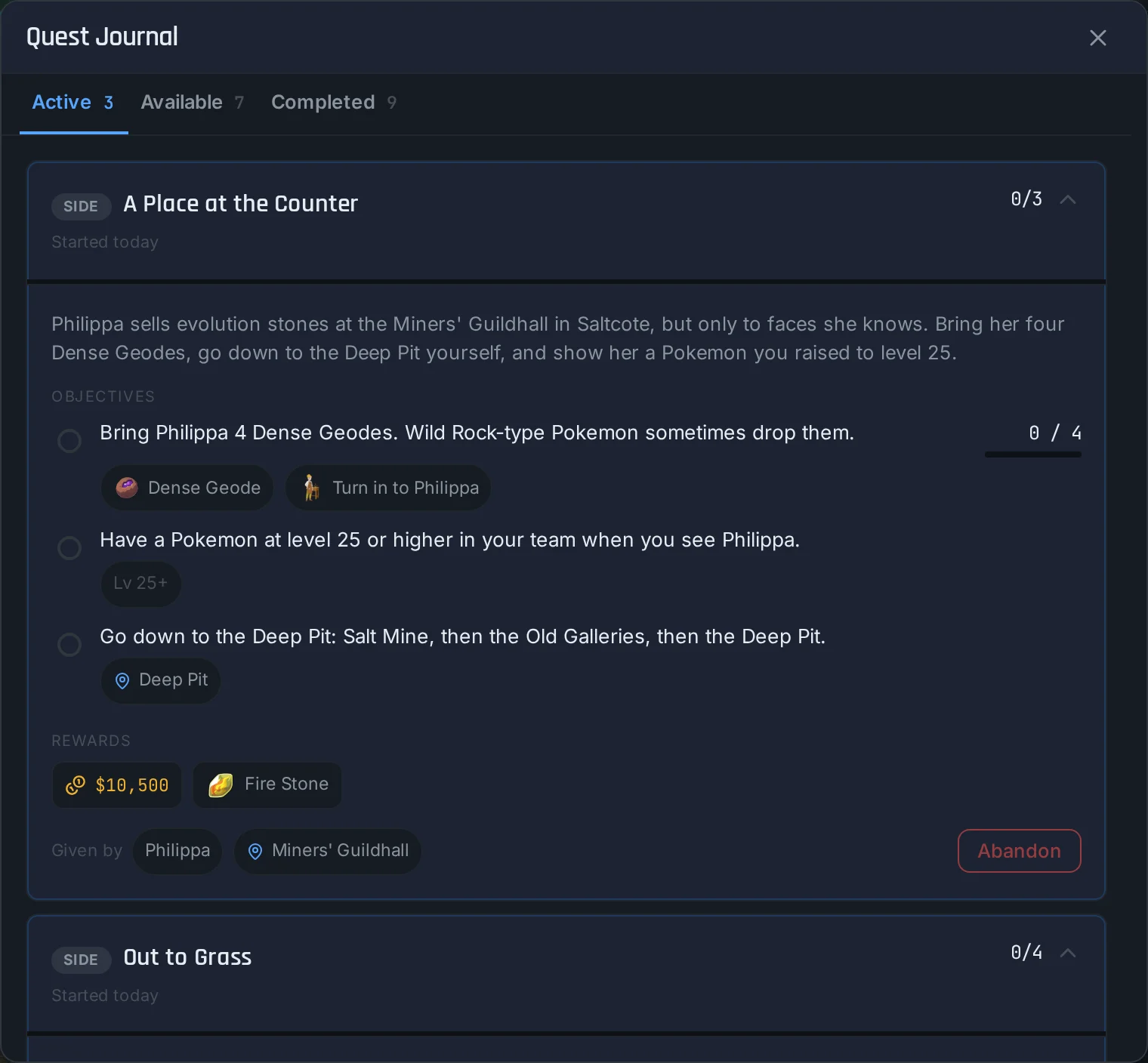
Quest Journal has three tabs: Available, Active and Completed. An active quest lists its objectives and who to turn it in to.
Players lists who is online. Messages is your private conversations, and the chat panel is the public channels.
The PC
Storage lives inside a Pokemon Centre. The PC is a grid of boxes: tap a Pokemon to pick it up, then tap where you want it, in a box or in your party. You must keep at least one Pokemon in your party, and the party holds six. Filter a box by type or search it by name rather than paging through.
Everything named is tappable
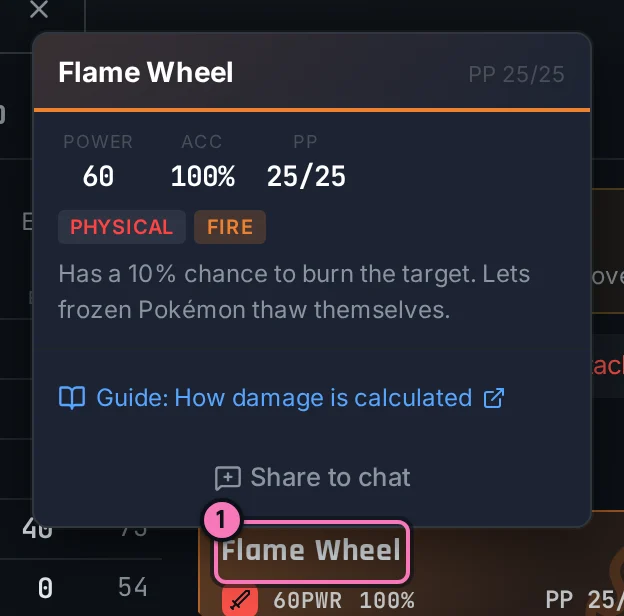
This works the same with a mouse and on a phone. Hovering is never the only way to see something.